IPTV for Beginners — Is It Right for You?
IPTV replaces the cable box with an app. No contracts, no technicians, no hidden fees. Here is everything a first-time user needs to know before switching.
IPTV replaces your cable box with an app. Instead of a technician drilling holes in your wall and bolting a satellite dish to the roof, you install a player app on a device you already own. Television arrives through the same internet connection you use for everything else. No contracts. No hidden fees. No waiting for an installation window that spans half a day.
If you have never used IPTV before and the term means nothing to you — this guide covers what it is, what you need, what it costs, and whether it makes sense for your situation. Written without assumptions about what you already know.
What is IPTV in plain English
IPTV stands for Internet Protocol Television. That name is technical; the concept is simple. Television delivered over your internet connection instead of through a satellite dish, a cable coaxial, or an antenna.
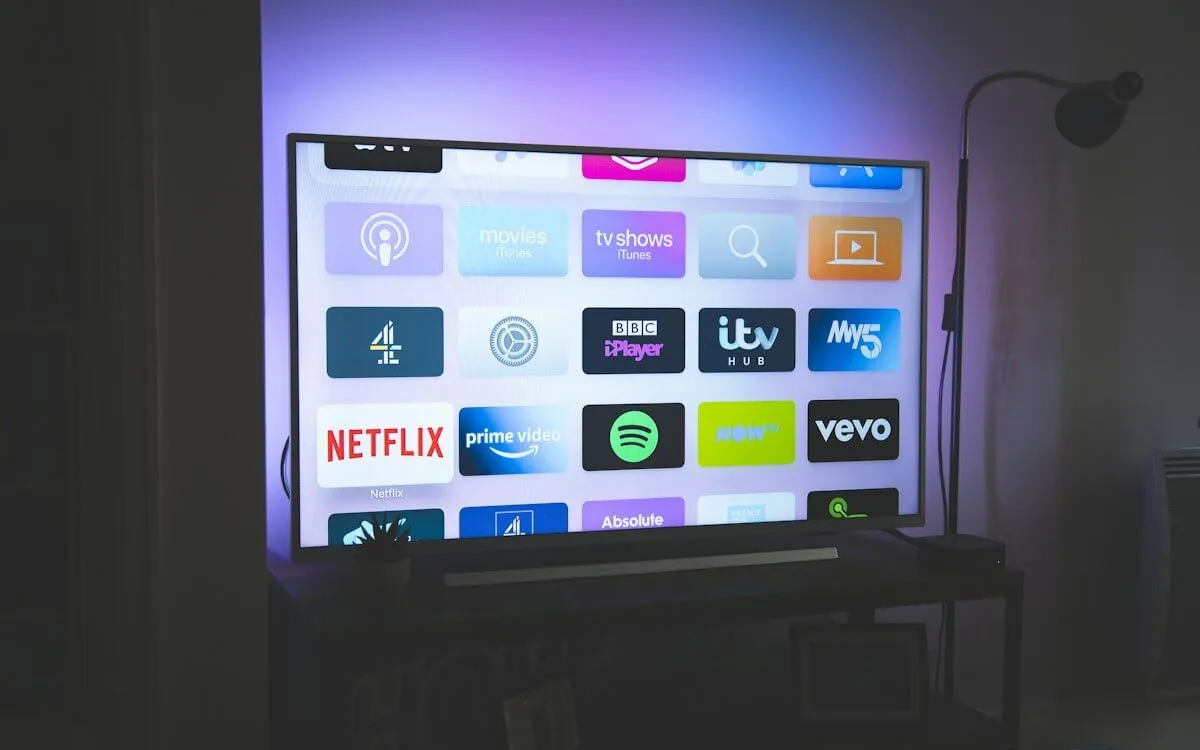
You watch through an app — on your TV, phone, tablet, or computer. The app connects to the provider's servers, pulls the live channel or on-demand title you selected, and plays it. Same way Netflix works, except IPTV is built for live television: sports, news, entertainment, and international channels — not just a library of shows you can watch whenever.
If you have ever watched a YouTube video or a Netflix show, you have already used IP-based video delivery. IPTV applies the same technology to the full television experience.
What you need
Three things. Nothing else.
- Broadband internet. Any fiber, cable, or DSL connection works. You need at least 15 Mb/s for HD streams and 25 Mb/s or more for 4K. Run a speed test on your phone — if you get 25+ Mb/s, you are set. Wi-Fi works for most people. A wired Ethernet connection is more stable but not required.
- A compatible device. You probably already own one. Fire TV Stick, Android TV box, Apple TV, Smart TV, phone, tablet, or any computer. If your device has an app store, it can run IPTV.
- An IPTV player app. This is the software that displays the channels. TiviMate and IPTV Smarters are the two most popular options. Both are free to download. The player is not the same as the service — you install the player, then enter your subscription credentials to connect.
No satellite dish. No cable box. No technician visit. No waiting.
How much it costs
NANO IPTV pricing, current as of July 2026:
| Plan | Price | Duration |
|---|---|---|
| Trial | Free | 24 hours |
| 1 Month | €9.99 | 30 days |
| 3 Months | €24.99 | 90 days |
| 6 Months | €44.99 | 180 days |
| 12 Months + 2 Free | €79.99 | 14 months |
Every plan includes 24,000+ live channels, 150,000+ on-demand titles, a 7-day program guide, and catch-up TV (watch programs you missed from the past 7 days). The 12-month plan works out to roughly €5.71 per month — less than a single cup of coffee per week for the full television experience.
What you get — and what you do not
What is included:
- Live TV. Sports, news, entertainment, kids, international — channels from dozens of countries.
- Catch-up TV. Missed a show? Replay anything from the past 7 days directly in the player. Not all channels support this, but most major broadcasters do.
- VOD library. Over 150,000 films and series on demand. Updated regularly.
- EPG (Electronic Program Guide). A 7-day grid showing what is on, when it is on, and what is coming next. Think of it as the on-screen TV listings you are used to — but digital and scrollable.
What is not included:
- DVR recording. Recording live TV to watch later is a feature of the player app, not the IPTV service itself. Some players like TiviMate support recording to a USB drive or network storage. The service provides the stream; the player decides what to do with it.
- Netflix Originals, Disney+ exclusives. IPTV carries live channels and a broad VOD catalog — not the proprietary content libraries of Netflix, Disney+, or HBO Max. Those require separate subscriptions.
IPTV vs streaming services
This is the most common source of confusion, so let us be direct: IPTV is not a replacement for Netflix or Disney+. Those services have exclusive original content that is not available anywhere else. IPTV does not carry Stranger Things or The Mandalorian.
What IPTV replaces is live television — the cable or satellite package. Sports in real time. Breaking news. International channels. The 200-channel experience you had with cable, except delivered over the internet and costing a fraction of the price.
Most IPTV users keep one or two streaming services alongside their IPTV subscription. The streaming service handles the exclusive originals; IPTV handles everything else. This hybrid approach typically costs less than the cable package you cancelled — and covers more content.
Is it legal?
IPTV as a technology is legal. It is simply a method of delivering television over the internet — no different, technically, from how YouTube or Netflix deliver video. The legality depends on the content being streamed and whether the provider holds proper distribution rights.
Licensed IPTV services operate legally in most jurisdictions. Use a VPN (Virtual Private Network) for privacy — a VPN encrypts your internet traffic so your ISP cannot see what you are streaming. This is a general privacy practice, not specific to IPTV. NordVPN, Surfshark, and ExpressVPN are the most commonly recommended options. Avoid free VPNs — they sell your data.
How to try it
The fastest way to find out if IPTV works for you:
- Start the free trial. NANO IPTV offers a 24-hour free trial — no card required. Sign up, receive your credentials instantly.
- Install a player. Download TiviMate (for Fire TV, Android TV, or Android phone) or IPTV Smarters (for any platform). Both are free.
- Enter your credentials. The player will ask for your username, password, and server address. Copy these from your dashboard. Takes 30 seconds.
- Start watching. Browse channels, check the program guide, try the VOD library. Use it like you would cable — but without the cable box.
If it works for you, pick a plan. If it does not, you paid nothing and lost 24 hours, not 24 months.
Ready to start? Get your free 24-hour trial — no card, no commitment, activation in minutes.
Sasha handles the server fleet and network topology. Background in telecom and ISP operations — if something needs to get packets from A to B with sub-millisecond jitter, she is the person who makes it happen. Writes about player configuration, latency, and protocol internals.
How to choose the best IPTV service in 2026 — what actually matters beyond channel count, how to evaluate stream quality, EPG coverage, uptime, and real pricing. A practical comparison with a checklist you can use before committing to any provider.