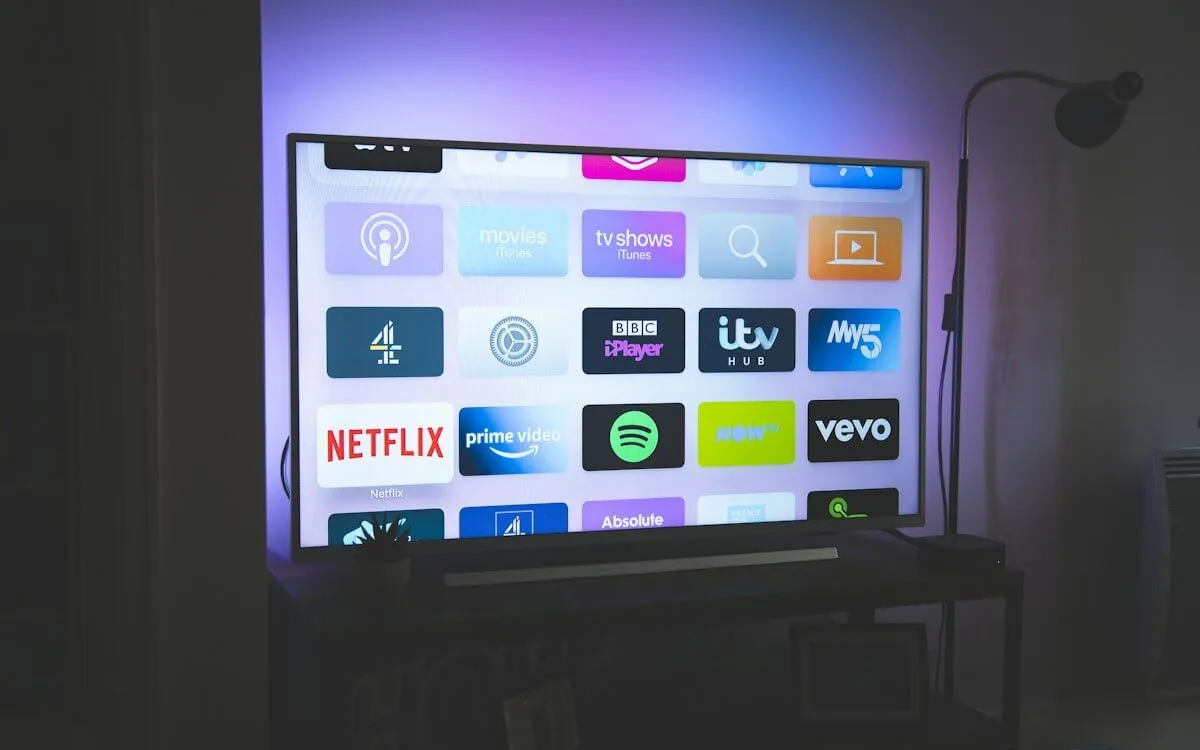
4K and HDR in IPTV — what you actually get
4K and HDR are the most over-promised features in IPTV. Here is an honest, technical breakdown of what resolution and dynamic range actually deliver, what you need on your end, and how to avoid the common pitfalls.
4K and HDR are the most over-promised and least-understood features in IPTV. Every provider claims to offer them. Few explain what they actually mean. This guide is the honest version: what 4K and HDR deliver in practice, what equipment you need, and the common pitfalls that waste bandwidth and produce no visible improvement.
4K (UHD) — resolution
4K means a resolution of 3840 × 2160 pixels — exactly four times the pixel count of 1080p (1920 × 1080). Four times the pixels means four times the data, which means a sustained bandwidth of around 25 Mb/s for a single 4K stream.
The catch: The source has to be native 4K. If the original broadcast is 1080p and the provider upscales it to 4K, you are paying for 4x the bandwidth and getting zero additional detail. NANO IPTV does not upscale — if a channel only exists in 1080p, the stream we deliver is 1080p. The 4K badge in the EPG means the source is natively 4K.
When 4K matters: On a 55-inch or larger screen viewed from 2-3 meters away, the difference between 4K and 1080p is clearly visible. On a 32-inch screen viewed from 3 meters, it is physically imperceptible — the human eye cannot resolve the extra pixels at that size-distance ratio. Do not stream 4K to a screen that cannot show it. You are just wasting bandwidth.
HDR — dynamic range
HDR (High Dynamic Range) is about brightness and color depth, not resolution. An HDR signal carries more information about how bright each pixel should be — from deep blacks to bright highlights — and a wider color gamut. The result is more realistic lighting, richer colors, and better contrast.
The two common HDR formats in IPTV are:
- HDR10: The baseline HDR format. Static metadata — the brightness parameters are set once for the entire stream. Supported by virtually every 4K TV sold in the last five years.
- HLG (Hybrid Log-Gamma): Designed for broadcast. Backward-compatible with SDR displays — an HLG stream will still show a watchable picture on a non-HDR TV, unlike HDR10 which looks washed out without HDR processing.
For IPTV, what matters is that your player passes the HDR metadata through to the TV. Most modern players — TiviMate, IPTV Smarters, iPlayTV — support HDR passthrough. If the player strips the HDR metadata, the TV will show an SDR picture even if the stream is HDR.
What you need for 4K HDR IPTV
- A 4K HDR TV. This is the non-negotiable starting point. The TV must support HDR10 at minimum. Check the specifications — a "4K TV" without HDR support will show 4K resolution but not HDR color.
- A player that supports HDR passthrough. TiviMate, IPTV Smarters, and iPlayTV all do. VLC on desktop does, but some older versions of VLC on Android do not. Kodi requires the correct video settings to be enabled.
- An HDMI 2.0 or higher cable. HDMI 1.4 cannot carry 4K at 60 fps with HDR. If you are using an external device (Firestick, Apple TV, Android box), the HDMI cable between the device and the TV must be HDMI 2.0 or 2.1. The cable that came with the device is almost always sufficient — it is only a concern if you are using an old cable from a drawer.
- At least 25 Mb/s of stable bandwidth to the device. This is the biggest bottleneck in practice. See our buffering diagnostic guide for the full bandwidth checklist.
Common pitfalls
Pitfall #1: Streaming 4K to a 1080p screen. The player will decode the 4K stream and downscale it. The result looks identical to a native 1080p stream but uses 4x the bandwidth. Always match the stream quality to the screen resolution.
Pitfall #2: HDR metadata being stripped by the player. If the picture looks washed out or the colors seem off, check that HDR passthrough is enabled in the player settings. In TiviMate, this is under Settings → Playback → AFR and HDR.
Pitfall #3: Confusing "4K" with "good." A well-encoded 1080p stream from a high-quality source can look better than a poorly encoded 4K stream from a low-quality source. Resolution is one variable among many — bitrate, encoding quality, and source quality all matter more than the pixel count.
Pitfall #4: WiFi cannot sustain 25 Mb/s. This is the single most common reason 4K streams buffer. Run Ethernet to your main streaming device. If Ethernet is not possible, test whether the device can sustain 25 Mb/s on WiFi by running a speed test from the device itself — not from your phone. Our buffering guide covers this in detail.
How to check if a channel is 4K HDR
In TiviMate, channels with 4K and HDR are labeled in the EPG. In IPTV Smarters, the stream quality is shown in the player info overlay. On most modern TVs, pressing the "Info" or "Display" button on the TV remote (not the streaming device remote) will show the current resolution and whether HDR is active — this is the definitive check because it reports what the TV is actually receiving, not what the player claims to be sending.
HDMI cable specifications — which one do you actually need?
| Cable Type | Max Resolution | HDR | 4K@60fps |
|---|---|---|---|
| HDMI 1.4 | 4K@30fps | No | No |
| HDMI 2.0 | 4K@60fps | HDR10 | Yes |
| HDMI 2.1 | 10K@120fps | HDR10+, Dolby Vision | Yes |
For IPTV: HDMI 2.0 is sufficient for all current streams. The cable that came with your device is almost certainly adequate.
TV compatibility — HDR format support by brand
| Brand | HDR10 | HLG | Dolby Vision |
|---|---|---|---|
| Samsung (2017+) | Yes | Yes | No |
| LG (2017+) | Yes | Yes | Yes |
| Sony (2017+) | Yes | Yes | Yes |
| TCL (2018+) | Yes | Yes | Yes |
The bandwidth math — why 4K is harder than it looks
A single 4K HDR stream needs 25 Mb/s of sustained, stable bandwidth. For multi-device households: 2 devices = 50 Mb/s, 3 = 75 Mb/s, 4 = 100 Mb/s. If your plan is 50 Mb/s, you cannot watch two 4K streams simultaneously. Drop one to 1080p (5-8 Mb/s) and the total drops to ~33 Mb/s.
The future — 8K and improved 4K encoding
8K requires ~100 Mb/s and is practically irrelevant for IPTV in 2026. What matters: AV1 and VVC (H.266) codecs delivering 4K quality at 30-50% lower bitrates. As these gain hardware decoding support, 4K IPTV will require less bandwidth — making it accessible on connections that currently struggle.
How to verify your TV is actually receiving an HDR signal
Press the "Info" or "Display" button on your TV remote while streaming. Look for: resolution (3840x2160 for 4K), HDR status ("HDR" or "HDR10" should appear — if "SDR," HDR is not active), and color format (BT.2020 for HDR vs BT.709 for SDR). If your TV shows SDR despite an HDR stream, check HDR passthrough in player settings, HDMI cable version, and TV HDMI port settings (many TVs require "HDMI Enhanced Format" enabled per port).
Is your internet fast enough for 4K? A practical test
Do not trust the number on your internet plan. Run an actual test from the device you stream on:
- Open a browser on your streaming device (Fire TV has Silk; Nvidia Shield has Chrome; Apple TV can AirPlay from an iPhone).
- Go to fast.com — Netflix's speed test tool. Unlike generic speed tests, fast.com measures actual video streaming throughput, not just raw bandwidth.
- Run the test three times at different times of day. Record the lowest result, not the average. Your streaming experience is only as good as your worst moment, not your best.
- If the lowest result is below 20 Mb/s, 4K streaming will buffer intermittently regardless of your plan's advertised speed. The bottleneck could be WiFi, ISP congestion, or an old modem.
The resolution-distance chart — when 4K actually matters
The human eye has a finite angular resolution. Beyond a certain distance, you cannot physically distinguish 4K from 1080p:
| Screen Size | 4K Visible At | 1080p Sufficient Beyond |
|---|---|---|
| 32-inch | Under 4 feet (1.2m) | 4+ feet |
| 43-inch | Under 5.5 feet (1.7m) | 5.5+ feet |
| 55-inch | Under 7 feet (2.1m) | 7+ feet |
| 65-inch | Under 8 feet (2.4m) | 8+ feet |
| 77-inch | Under 9.5 feet (2.9m) | 9.5+ feet |
If your viewing distance exceeds the threshold for your screen size, you are streaming 4x the data for zero visible improvement. Drop the stream quality to 1080p in your player settings and enjoy buffer-free viewing at a resolution your eyes literally cannot distinguish from 4K.
HDR format comparison — which ones matter for IPTV?
| Format | Type | IPTV Support | Notes |
|---|---|---|---|
| HDR10 | Static metadata | Yes — most common | Universal baseline. Every HDR TV supports it. |
| HLG | Broadcast-optimized | Yes — select channels | Backward compatible with SDR. Used by BBC and NHK. |
| HDR10+ | Dynamic metadata | Rare | Samsung-led. Dynamic scene-by-scene brightness. Limited IPTV support. |
| Dolby Vision | Dynamic metadata | Very rare | Premium format requiring licensing fees. Almost never used in IPTV. |
For IPTV, HDR10 is the format that matters. If your TV supports HDR10 and your player has HDR passthrough enabled, you are getting the full HDR benefit available in IPTV streams. HLG is used by a few broadcasters; HDR10+ and Dolby Vision are premium formats with negligible IPTV presence.
Marcus runs the routing and encoding pipeline at NANO IPTV. Ten years of streaming infrastructure experience across CDN, HLS, and MPEG-DASH. Previously at a Nordic broadcast uplink provider. Writes about the practical side of getting a stream from the source to the screen.
Everything that determines whether your stream looks good and plays smoothly — bandwidth diagnostics, 4K and HDR configuration, multi-device connection management, and player optimization.